How to Start Online Trading in India with Atlant Trade
Learning how to start online trading in India can begin with something practical: opening a chart, exploring the controls and making your first decisions with virtual funds. Atlant Trade brings those first steps together with a free demo account, browser access, charting tools and educational guides.
You do not need to understand every indicator before you explore the platform. Start with one asset, learn what the trade settings mean and build a routine you can follow. The first useful achievement is being able to explain your decision.
This guide focuses on Atlant Trade's fixed-time trading format. You select a price direction and an expiry, and the outcome depends on the contract's rules. These transactions do not give you ownership of the underlying asset.
Why explore Atlant Trade as a beginner?
For someone researching online trading for beginners in India, a useful platform should make the learning process understandable. Atlant Trade offers several features that support that process.
| Atlant Trade feature | What it helps you do |
|---|---|
| Free demo account with $50,000 in virtual funds | Explore the interface and repeat practice exercises without a real-money deposit. |
| Browser access | Get started on a computer without installing a desktop trading terminal. |
| Mobile access on iPhone and Android | Build a learning routine around the device you already use. |
| Multiple chart views and technical indicators | Move from observing price direction to examining individual movements. |
| Defined trade amount and expiry settings | Review the main terms of a fixed-time trade before confirming it. |
| Educational articles and account support | Connect platform practice with explanations and ask questions when something is unclear. |
The practical advantage is continuity: read about a concept, find the relevant control and try a focused exercise. You can make progress one skill at a time.
Start with a $50,000 demo account
The Atlant Trade demo account provides a replenishable virtual balance. That gives you room to familiarise yourself with the platform without treating every unfamiliar button as a financial decision.
Use your first visit to answer three simple questions:
- Where do I select an asset and change the chart view?
- Where do I check the trade amount, expiry and displayed payout?
- Where can I review what happened after a practice trade?
Choose a realistic virtual trade amount and keep it consistent while learning the controls. A large demo balance is a practice resource; it does not mean large positions are a sensible starting point.
Virtual funds have no cash value, and demo profits cannot be withdrawn. The benefit is the opportunity to practise, review mistakes and become more familiar with the process before considering real-money exposure.
How to start online trading in India: your first Atlant Trade practice session
1. Create your account
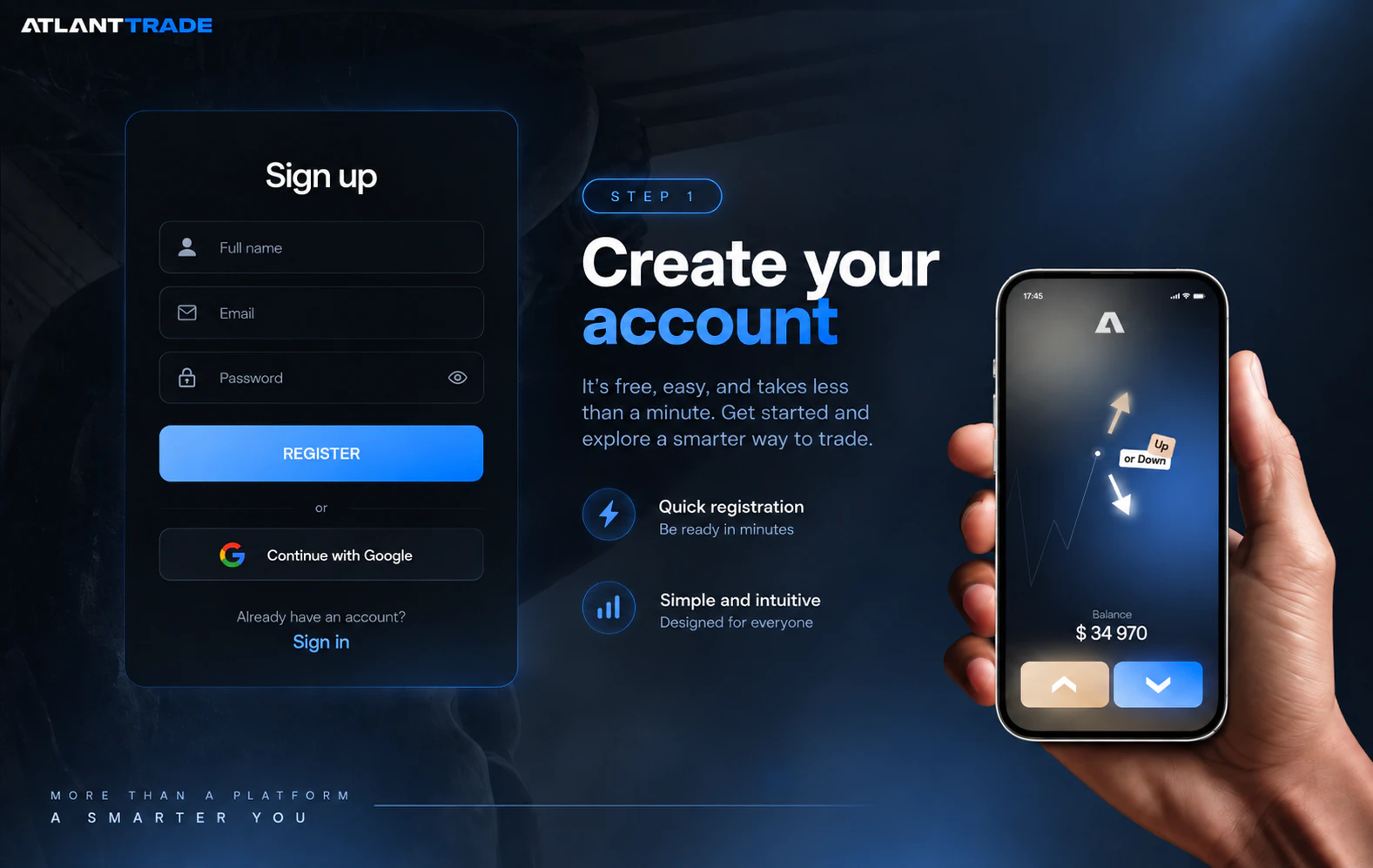
Visit the official Atlant Trade website and open the registration form. Registration is free, and the platform also describes a Google sign-in option. Enter accurate account information and keep your login details private.
You can begin by exploring the account interface. Learning where things are is already a useful first step.
2. Select the demo balance
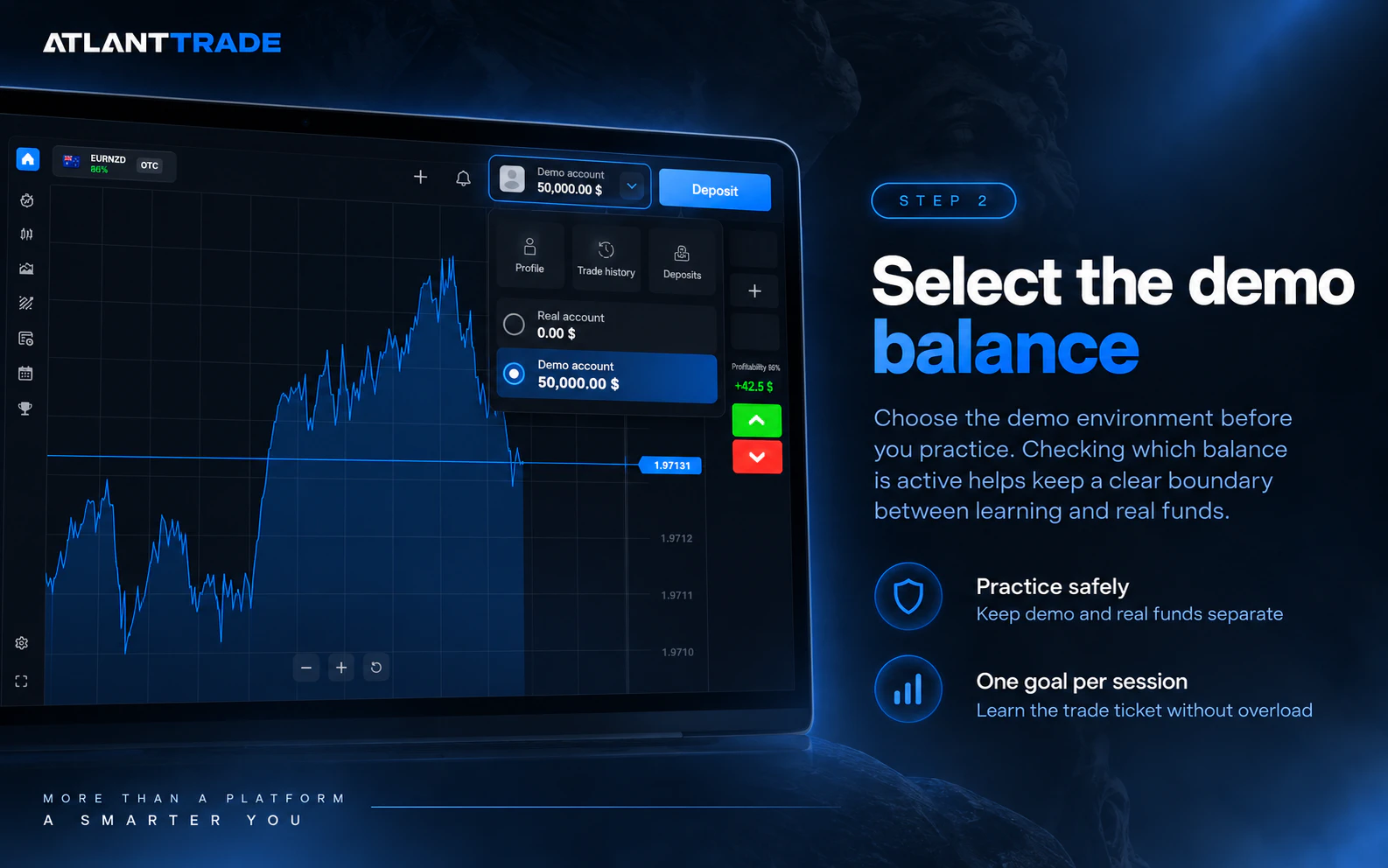
Use the account selector to choose the demo environment. Before any practice trade, check which balance is active. This small habit helps you keep a clear boundary between an exercise and a decision involving real funds.
Give this session one goal, such as understanding the trade ticket. Trying to learn every function at once makes it harder to remember what each control does.
3. Choose one available asset
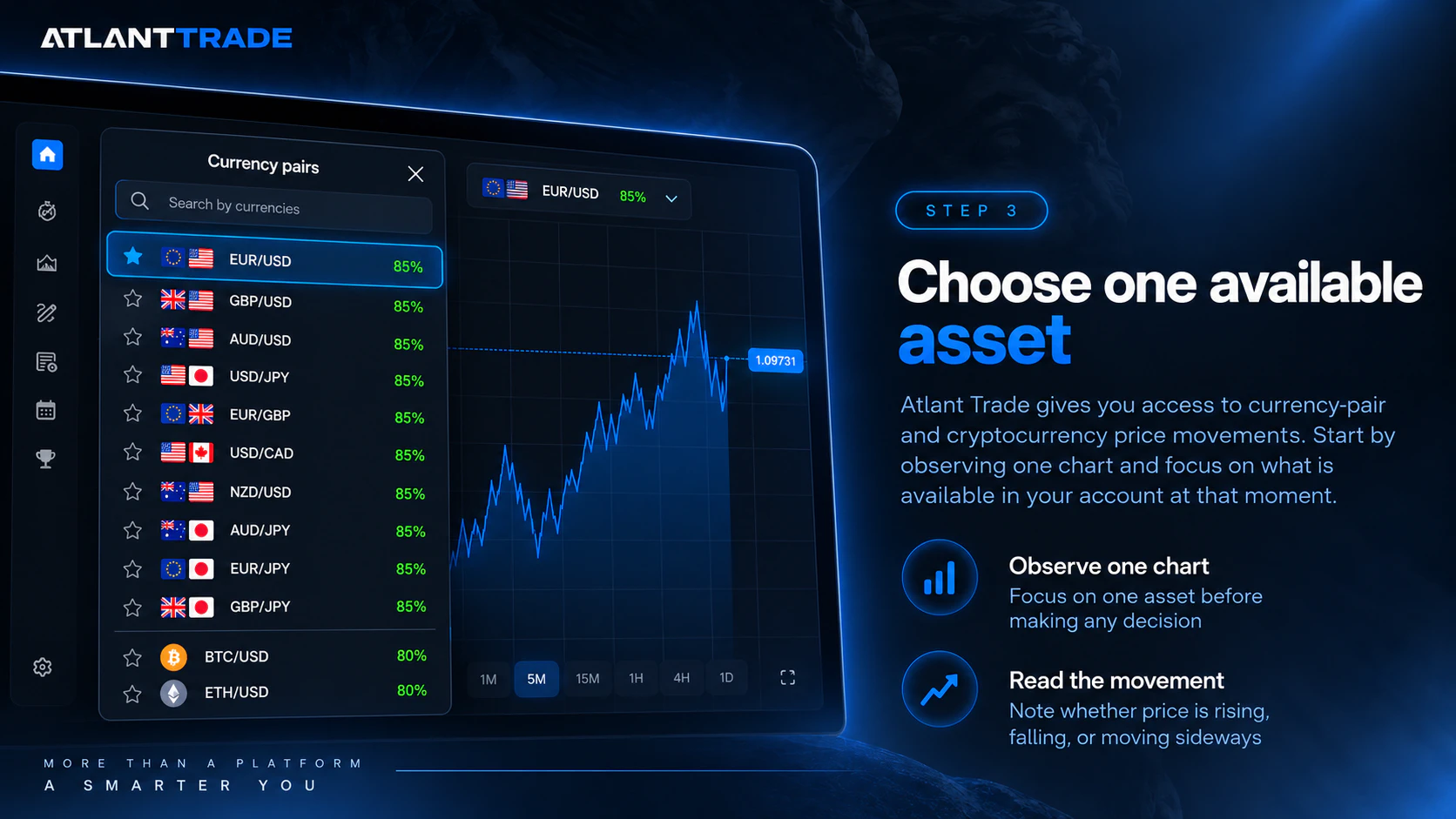
Atlant Trade describes access to currency-pair and cryptocurrency price movements. The instruments displayed in your account show what is available to you at that moment.
Begin by observing one chart. Note whether the recent movement is upward, downward or sideways. Write down what you can actually see before deciding what you expect next. This turns chart watching into a specific learning exercise.
4. Read the trade settings
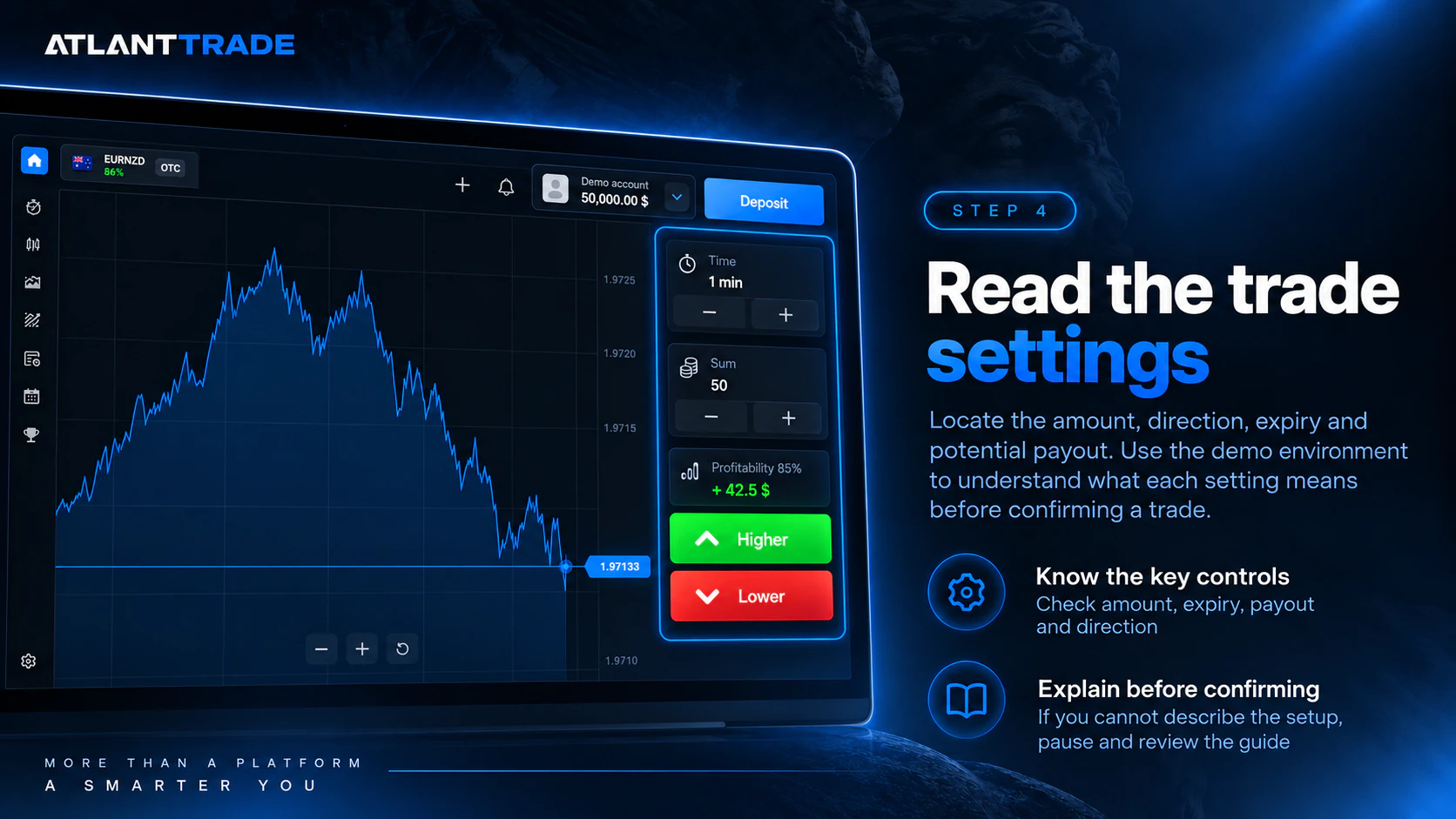
Locate the amount, direction, expiry and potential payout. Expiry is when the contract outcome is determined. The chart timeframe controls how price data is grouped; it does not automatically set the trade's duration.
Use the demo environment to learn the difference. Before confirming, explain the chosen settings in your own words. If you cannot, pause and consult the guide to how fixed-time trading works.
5. Review the result
After the demo trade reaches expiry, compare its settings with your original intention. Did you select the right direction? Did you understand the closing time? Did you follow the amount you planned?
Write one observation to carry into the next exercise. A favourable result does not prove that the decision was sound, and an unfavourable result can still teach you something useful about your process.
Make the charts work for your learning
Atlant Trade offers Mountain, Line, Candle and Bar chart views. You can begin with a simple view of direction, then explore candles when you want more detail about each period's price movement.
Changing the presentation can help you answer different questions. Where did the recent rise begin? Has the price returned to a previous level? Does the latest candle fit the movement that came before it?
The platform also describes indicators including Moving Averages, RSI, MACD and Bollinger Bands. Introduce one tool at a time and learn what it measures. Several indicators on the screen do not automatically create a better decision.
Try this observation exercise:
- Select one asset and keep the chart settings unchanged for the exercise.
- Identify a recent high and low.
- Describe the movement between them without predicting a result.
- Add one indicator and note what extra information it contributes.
For a visual introduction, read Chart Types and Timeframes. When you are ready to study the movement itself, continue with the price action trading guide.
Learn on your phone and continue on a computer
Atlant Trade works in a browser, and its mobile guide explains how to add the platform to an iPhone or Android home screen. The shortcut uses the same account and provides access without a separate app-store download.
This gives you flexibility in how you organise practice. You might read a short lesson on your phone and use a larger screen to examine the chart. On another day, a focused mobile session may be more convenient.
Choose the screen on which you can comfortably read the settings. A useful routine leaves time to think and review; it does not require watching every price movement throughout the day.
Follow the official Atlant Trade mobile installation guide to set up home-screen access.
How to start online trading in India with a small budget
You can begin learning on Atlant Trade without funding a live account. That makes the demo environment a practical starting point when you want to understand the platform before making a financial commitment.
For eligible live accounts, Atlant Trade publishes a $10 minimum deposit and a $1 minimum trade. These are platform thresholds. They do not determine an appropriate budget or make the product low risk.
For example, a $1 trade represents 10% of a $10 balance. A small amount in dollars can therefore be a substantial part of the account. Use the virtual environment to understand this relationship before deciding whether live trading fits your finances.
Atlant Trade states that it does not charge its own deposit or withdrawal commission. Payment providers and currency conversion can still create costs. If a payment begins in INR and the account is credited in USD, review the exchange rate and final credited amount.
The deposit, fees and processing guide explains what to check.
For residents of India: before using real funds, verify that the provider and intended transaction are permitted. RBI guidance on forex transactions restricts residents to authorised persons and permitted purposes, with electronic transactions subject to platform requirements. Website access or an available payment option does not establish authorisation. This guide does not confirm Atlant Trade's authorisation to provide live trading in India.
Turn interest into a routine you can follow
You do not need to learn everything in one sitting. A short sequence of focused sessions gives your practice a purpose and makes progress easier to recognise.
| Practice session | Your task | A useful sign of progress |
|---|---|---|
| Explore | Find the demo selector, asset list and account history. | You can navigate without guessing. |
| Observe | Follow one asset and describe its recent movement. | You can distinguish an observation from a prediction. |
| Understand | Explain the amount, direction, expiry and payout on a demo ticket. | You know which settings affect the exercise. |
| Practise | Repeat a small number of demo exercises using the same checklist. | You can follow your process consistently. |
| Review | Read your notes and choose one mistake to work on. | You have a clear goal for the next session. |
If you keep notes in Indian Standard Time, check the terminal's displayed time before comparing entries. Keeping the asset, time and settings clear makes your journal easier to use later.
Record decisions as well as outcomes. A useful note explains what you noticed, what you chose and what you would check next time. For more on planning exposure, read trading with controlled risk.
Questions new Atlant Trade users often ask
Do I need previous trading experience?
You can start exploring the demo account while learning the terminology. Work through the controls and educational materials at your own pace. Familiarity with the interface is a starting point; live trading requires a separate assessment of the product, eligibility and financial risk.
Can I use UPI in India?
Atlant Trade's FAQ says UPI may be available to eligible accounts in India. Check the methods shown inside your account rather than assuming availability. A payment method does not establish that a particular transaction is permitted under Indian rules.
Are bonuses or cashback available?
Eligible customers may have access to promotions and cashback. Terms vary, and cashback concerns a portion of qualifying net losses under the programme rules. Review the cashback explanation before relying on it. Rewards do not guarantee profit or reimbursement of every loss.
Will I need identity verification?
Atlant Trade may request documents during registration or other account checks, including before deposits or withdrawals. Use accurate personal details and follow requests through official channels. Free registration should not be interpreted as a promise of trading or withdrawing without verification.
Take your first step with Atlant Trade
If you are deciding how to start online trading in India, give your first session a clear purpose: understand one chart, explain one trade ticket and record one lesson. Atlant Trade's demo environment and learning resources give you a place to begin that work.
You can start with curiosity and build familiarity through practice. Choose a manageable exercise today, then return with a better question tomorrow.
Open the free Atlant Trade demo account and learn how the platform works with virtual funds.
Risk notice: Fixed-time trading involves a high risk of loss. An unsuccessful trade can lose the full amount committed, and repeated losses can exhaust an account. Demo performance does not guarantee live results. This material is educational and does not provide investment advice.